
Private. On-device. Free.
Free on-device ATS score for every LinkedIn job posting.
A Chrome extension that reads the LinkedIn job you're on, scores it against your resume on-device, and saves the keepers to a Google Sheet you own. Unlike cloud-based ATS checkers, your resume never leaves your laptop.
Add to Chrome Free forever — no signup, no API key required. Optional cloud mode uses your own API key.- LinkedIn, Greenhouse, Lever supported today
- 100% on-device by default · cloud LLM optional
- Structured tracker in your Sheet
What JobTrail does
Read the posting, score the fit, save the row. No JobTrail signup — paste your resume once and you're done.
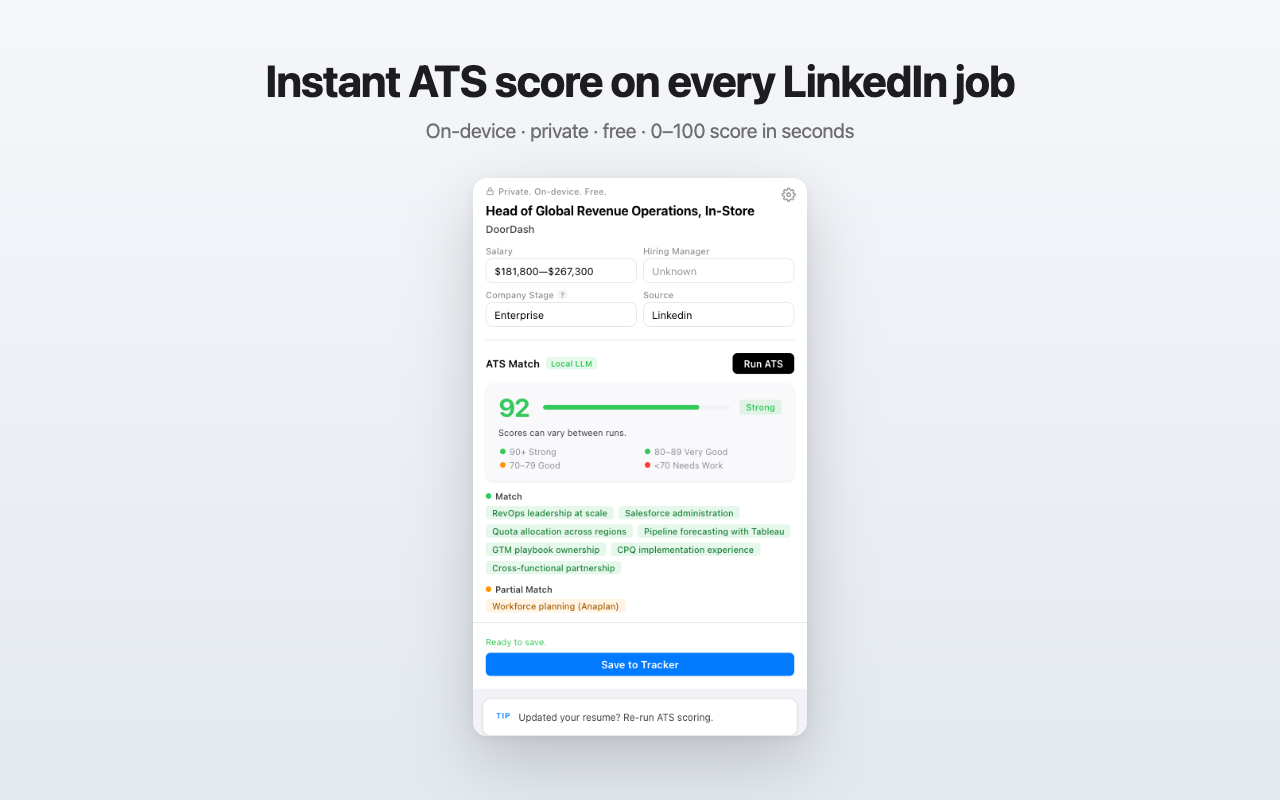
On-device ATS scoring by default
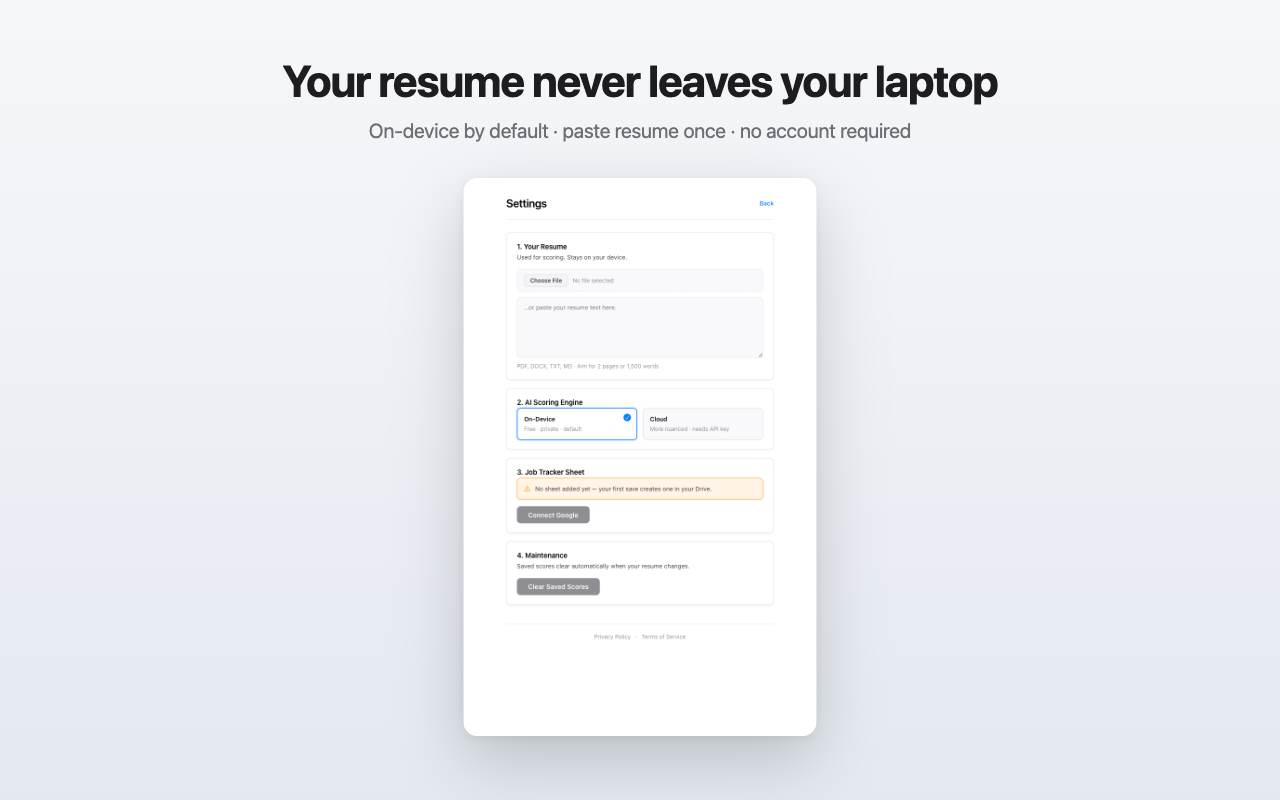
Runs locally using Chrome's built-in Gemini Nano. Your resume never leaves your browser on the default path — no cloud, no telemetry, no account.
Bring your own key (optional)
Paste an OpenAI, Anthropic, or Google Gemini API key for refined ATS scoring. Your account, your usage, your provider's terms.
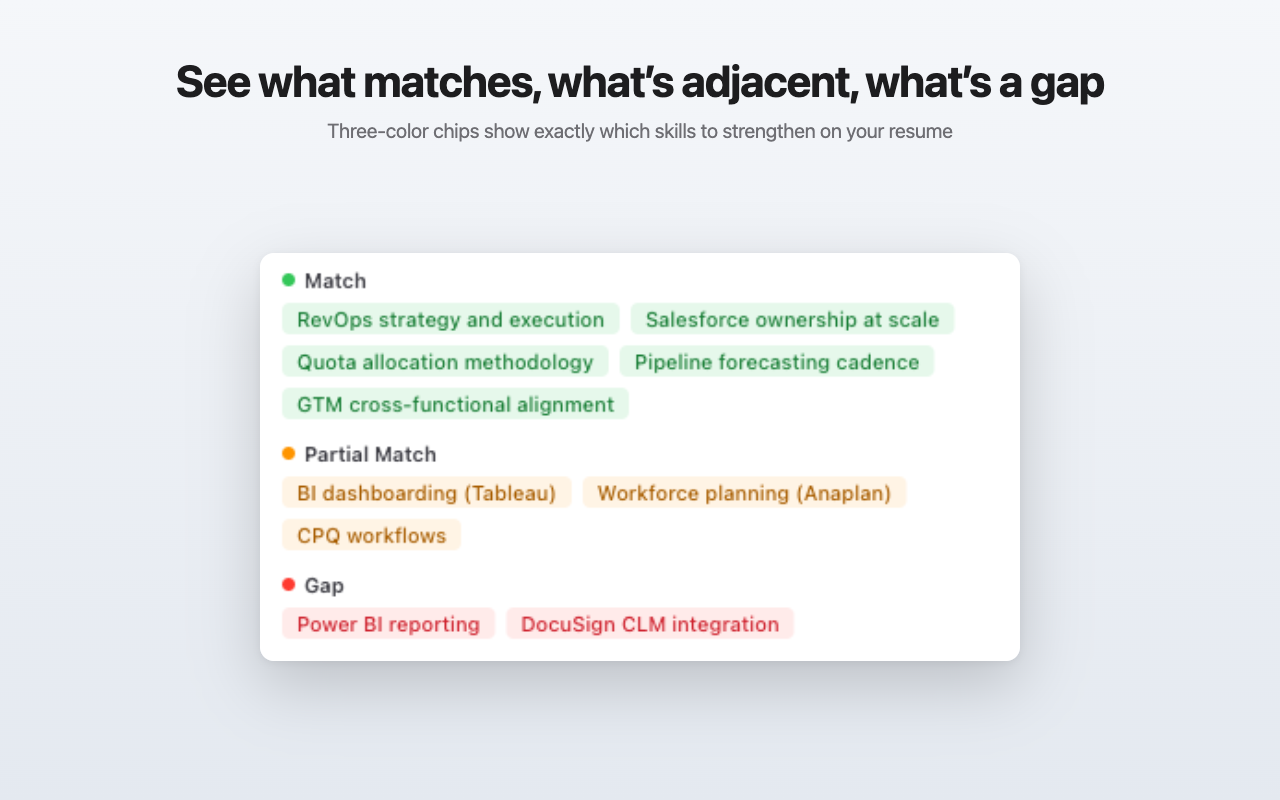
Match, Related, Gap — at a glance
Every JD requirement is categorized: green for direct match, amber for adjacent skills you should strengthen, red for true gaps. Actionable resume guidance at a glance.
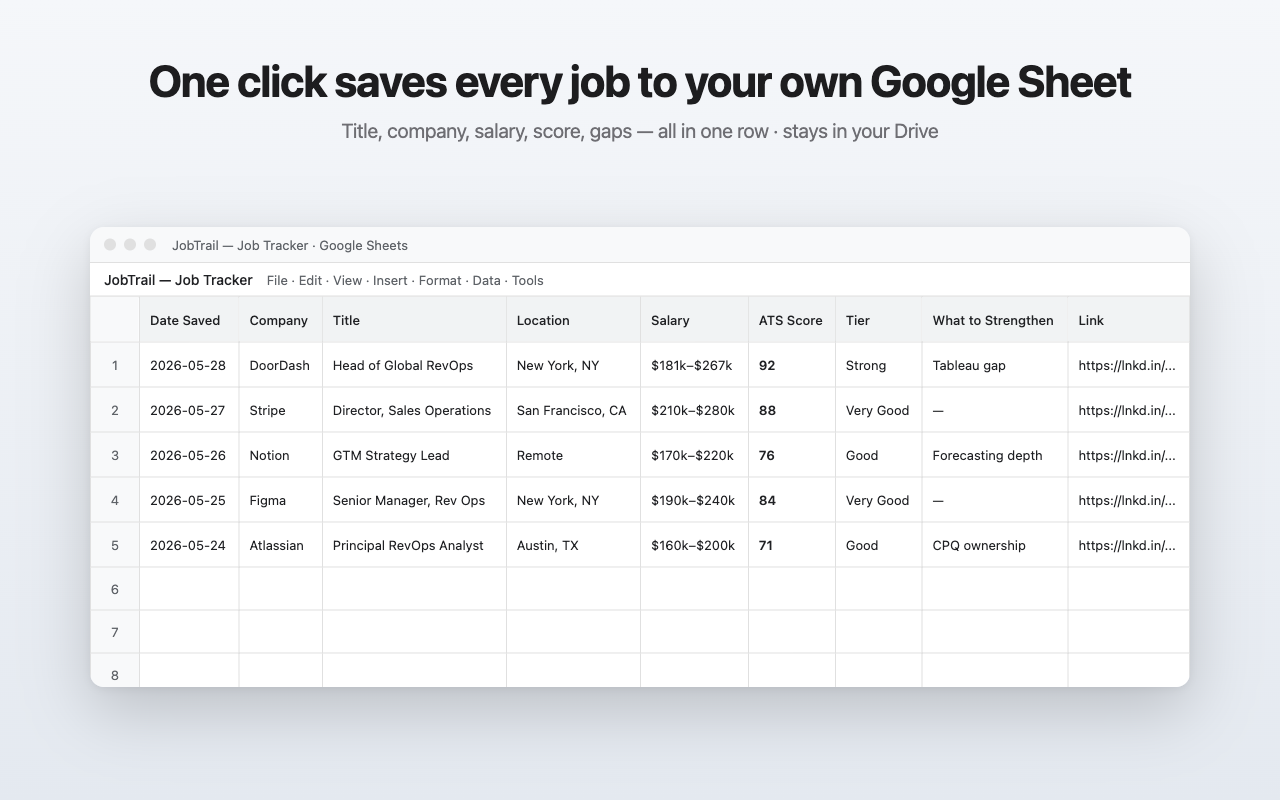
Saves to your Google Sheet
One click writes a structured row to your tracker sheet, created automatically on your first save. No proprietary tracker to migrate later — your data stays yours.
Side panel that stays pinned
JobTrail lives in Chrome's side panel, not a popup. Click into the next job, the score and breakdown stay open.
Reads the posting for you
Pulls title, company, location, salary, and the full JD automatically on LinkedIn, Greenhouse, and Lever job pages. Nothing to copy, nothing to paste.
How it works
- Paste your resume once in JobTrail's settings. Stored locally on your device.
- Open a job posting on LinkedIn, Greenhouse, or Lever.
- Click the JobTrail icon. The side panel reads the posting, scores fit on-device, and lists what matches, what's adjacent, and what's missing.
- Save the worth-applying ones. One click writes the row to your Google Sheet.
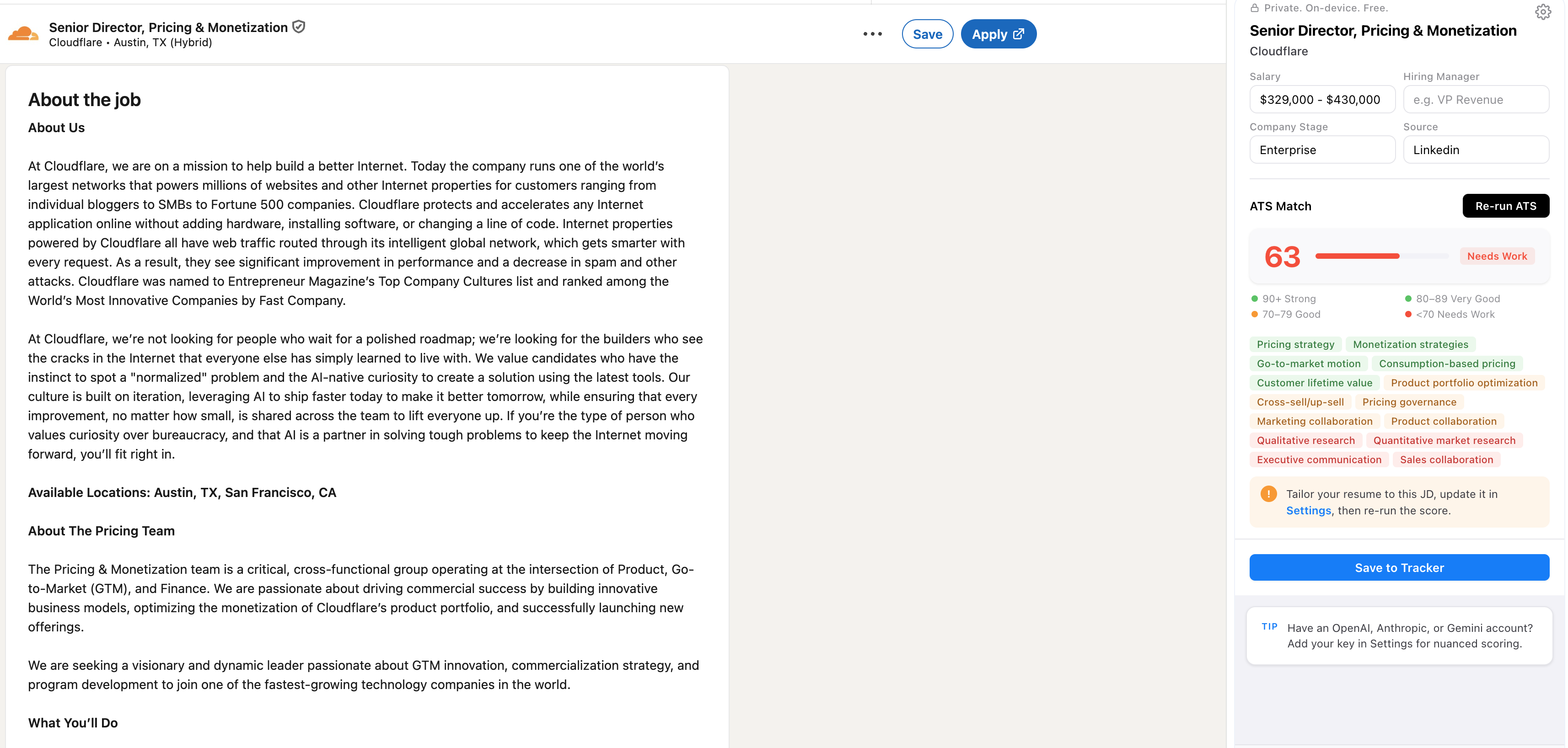
What you'll see
From the ATS score to the match chips to the saved row — every JobTrail surface, side by side. Click any shot to zoom.
Privacy
JobTrail has no backend, no telemetry, and no JobTrail signup. The free on-device path runs entirely in your browser — nothing leaves your device. If you bring your own AI key, prompts go directly to the provider you chose, under your account, with personal contact info stripped first. Connect Google only when you're ready to save jobs to a Sheet.
Full details: Privacy Policy.
FAQ
Is JobTrail free?
Yes. The default scoring path uses Chrome's built-in AI, which runs in your browser at no cost. There's no JobTrail account, no signup, and no payment.
Do I need to give it my data?
You paste your resume into JobTrail's settings — that's stored locally on your device, not uploaded anywhere. On the default on-device path, the resume never leaves your browser.
Why would I use a cloud LLM with my own API key?
Gemini Nano is small and runs in your browser — fast and free, but limited context and less nuanced reasoning. Cloud models (Claude, GPT-class, Gemini Pro) handle longer postings and produce a sharper fit score. Paste an API key from OpenAI, Anthropic, or Google Gemini in settings; the request goes directly from your browser to your provider, at a fraction of a cent per scoring call.
Which job boards does it work on?
LinkedIn, Greenhouse, and Lever, on desktop Chrome.
Where does it save the jobs I'm tracking?
A Google Sheet you own. On your first save, JobTrail creates one tracker spreadsheet in your Drive and appends to that same sheet from then on. It can only ever touch the sheet it created — never your other files. Each save writes one row capturing the fields you need to apply, follow up, and track outcomes. You can delete or migrate the sheet any time — it's yours.
Support
Questions, bugs, feedback, or feature requests — email jobtrail@ascentreon.com.
Score every LinkedIn job posting against your resume before you write a single cover letter. JobTrail runs entirely in your browser — connect Google only when you're ready to save winners to a Sheet.
Add to Chrome Free forever — no signup, no API key required.Made for job seekers who'd rather spend the hour writing a great application to one role than a generic application to ten.